Search results for tag #ipv6
![[?]](https://mediacdn.aus.social/accounts/avatars/116/700/174/504/225/100/original/21dd00f35e27bfb8.png)
I have a /48 #ipv6 static prefix. is that not a little wild? what am I supposed to do with 65,536 subnets?
![[?]](https://assets.chaos.social/accounts/avatars/000/040/257/original/7ac7c1889f77ac2d.jpeg)
 [
[#glasfaser Debakel eh.
Vor 2,5 Jahren bei #avacon unterschrieben, null Infos bisher. Am Telefon weiß man auch nix.
#rasannnt von den Stadtwerken Neustadt wird jetzt wohl ausgebaut. Dynamische(!) #ipv4 gibt es für 4,50 Euro pro Monat 😵💫
Von #ipv6 steht nix im Vertragswerk.
![[?]](https://ipv6.social/system/accounts/avatars/109/293/178/726/756/809/original/b8e81773c8b830bc.png)
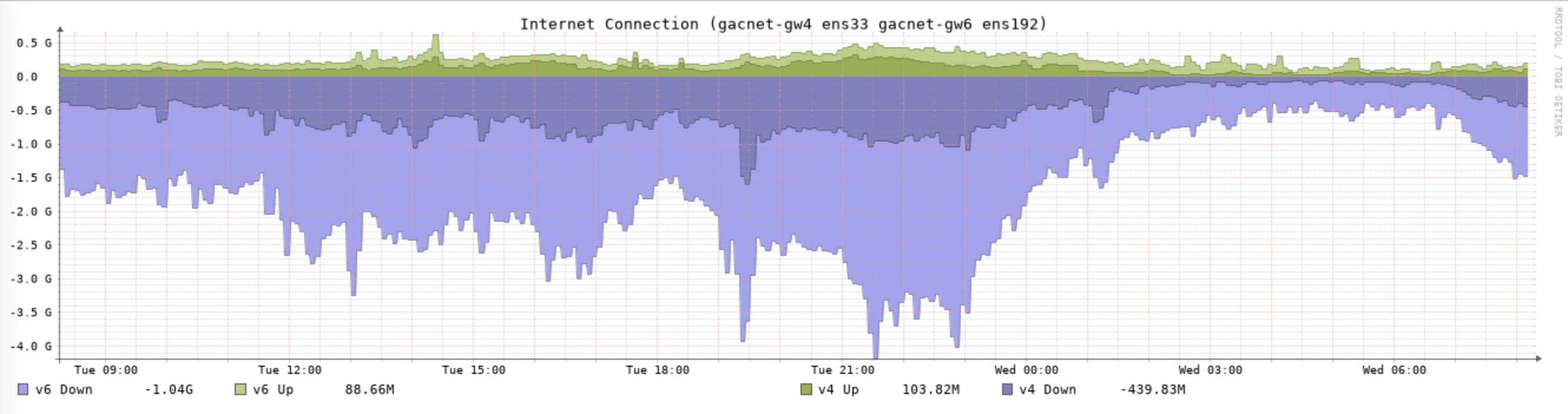
Here is my somewhat regular, beginning of the school semester, post about #IPv6 vs #IPv4 traffic on our college campus.
IPv6 traffic is still generally twice that of IPv4. Maybe a little more IPv6 now than this time last year.
Alt...
Graph showing all internet traffic to Gustavus Adolphus College. Light blue is IPv6 and dark blue is IPv4 incoming traffic. IPv6 is generally 2x that of IPv4.
![[?]](https://vltava.cloud/system/accounts/avatars/109/371/526/680/569/907/original/5dbc764920184d7a.jpeg)
![[?]](https://ublog.mroach.com/fileserver/01K80SW66201KC2DKD6MF2NYVB/attachment/original/01KBA8W3W9T5VVHV0AB9SE9TYR.png)
After months of scratching my head about why IPv6 didn't work in Internet Explorer on Windows 2000, I finally figured it out.
The IPv6 Technology Preview ships with a patched `wininet.dll` to replace the one on your system and bring IPv6 support to apps like IE and Outlook that use it.
But, if you're on SP2 or later, the `wininet.dll` on your system is newer and the installer won't replace it, so only browsers like Firefox that are aware of `wship6.dll` will detect the right library to use.
So, installing Windows 2000 with only SP1 works!
Next thing to try is replacing the DLL on SP4 machines. I'm guessing it'll be fine?

Alt...
Screenshot of Windows 2000 Professional SP1 showing IPv6 support in Internet Explorer 5.0
That made me realise the same trick probably exists on Windows NT 4 and sure enough, yes!
If I had scrolled to the bottom of readme.htm in the IPv6Kit directory I would have seen the notes about doing this dll replacement manually. Works great!

![[?]](https://cdn.tenforward.social/accounts/avatars/113/478/419/701/443/766/original/67e87677e8793fa1.png)
Well, they got #IPv6 enabled. Only took 'em 3 months and I'm the bad guy now, so 🤷
https://github.com/SeaGL/seagl.github.io/issues/495#issuecomment-5565924706
Anyone who says you don't need the end-to-end principle on today's Internet is someone who is trying to mediate your communications. #IPv6
![[?]](https://social.brendans-bits.com/system/accounts/avatars/115/025/946/115/024/621/original/3f78b1130653ea8d.jpg)
Today I want to start a little experiment:
- With an ISP who assigns me a /48 prefix, what is it like to host IPv6-only services on a FreeBSD host?
- What works? What doesn't?
- How does setting up IPv6-only services compare to setting up IPv4 services on FreeBSD?
Why IPv6 only?
It's 2026.
I'm going to go out on a limb and suggest that IPv6 offers you more freedom and choice about how you self-host than having to work around NAT (or CGNAT).
https://blog.brendans-bits.com/2026/09/experimenting-with-hosting-ipv6-only-services/
Coming soon:
- Getting IPv6 on FreeBSD: not that hard at all
- Fediverse via IPv6 only: what's the experience like with snac (and littlefedi when that's released)
- IPv6-only jails on FreeBSD
(Thanks to @stefano for BSSG - making this blog possible)
Comments / feedback welcomed.
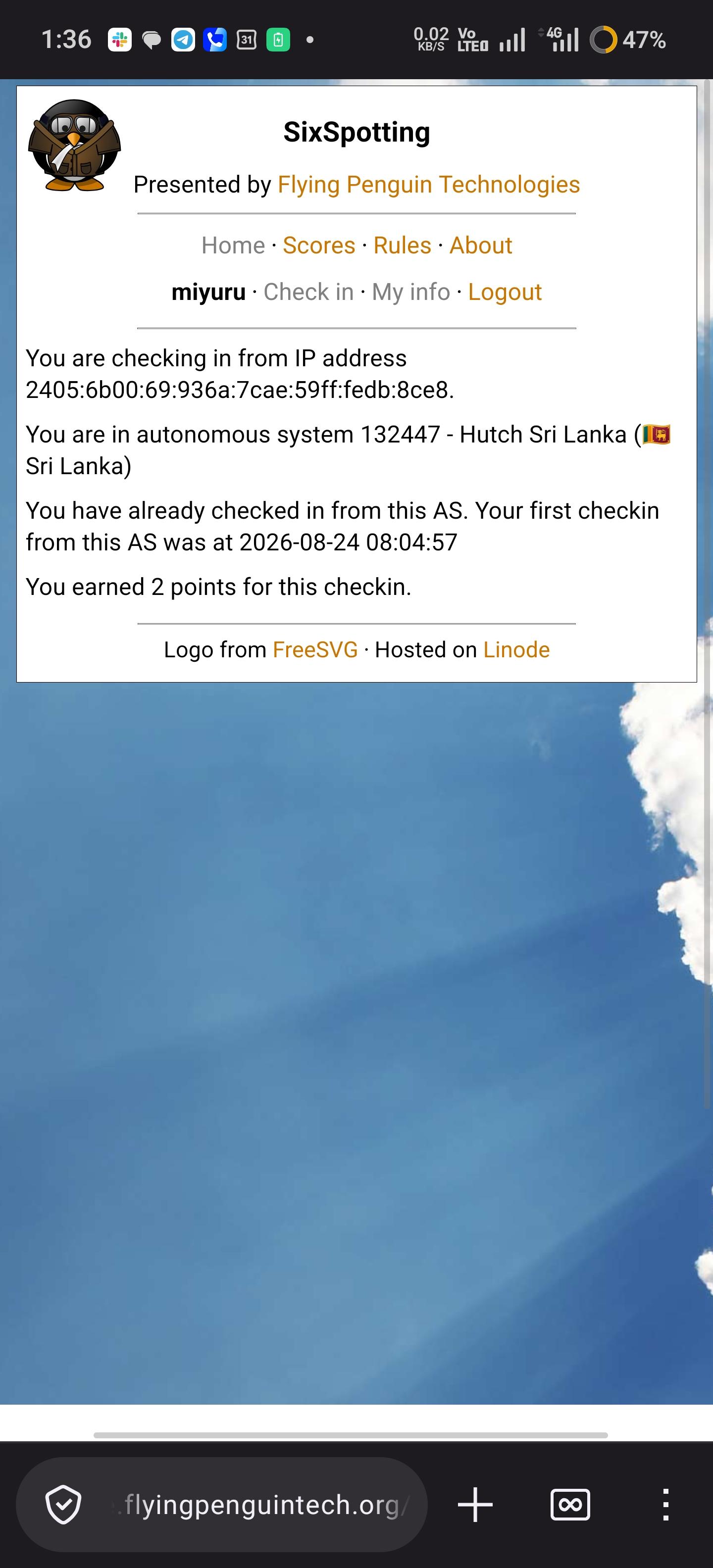
While checking to make sure everything is in order after the migration I noticed two IPs hitting the root of SixSpotting on intervals. One is hitting every five minutes with a curl user agent. The one that got my attention was a user agent of Uptime-Kuma hitting every minute. Ran the IP through RDAP and it comes back as the National Institutes of Health. Is my silly little game now critical government monitoring infrastructure? #IPv6
![[?]](https://ipv6.social/system/accounts/avatars/109/264/914/124/733/601/original/d445ad99089fb700.jpg)
Updated 2026-09-04
OS Management Hub now supports IPv6
https://docs.oracle.com/en-us/iaas/releasenotes/os-management-hub/release-3.7_ipv6.htm
Updated 2026-09-04
IPv6 support for OCI Monitoring
https://docs.oracle.com/en-us/iaas/releasenotes/monitoring/monitoring-ipv6.htm
@RangerRick Oh, yeah, Vercel is sadly well known in the #IPv6 community for not giving a f--k. Y'all might want to find a new hosting provider.
$ host -t AAAA www.mapbox.com
www.mapbox.com is an alias for mapbox.b.ssl.fastly.net.
If you are a MapBox customer, consider nudging them to switch to the dual-stack map: https://www.fastly.com/documentation/guides/full-site-delivery/domains-and-origins/enabling-dualstack-connections/
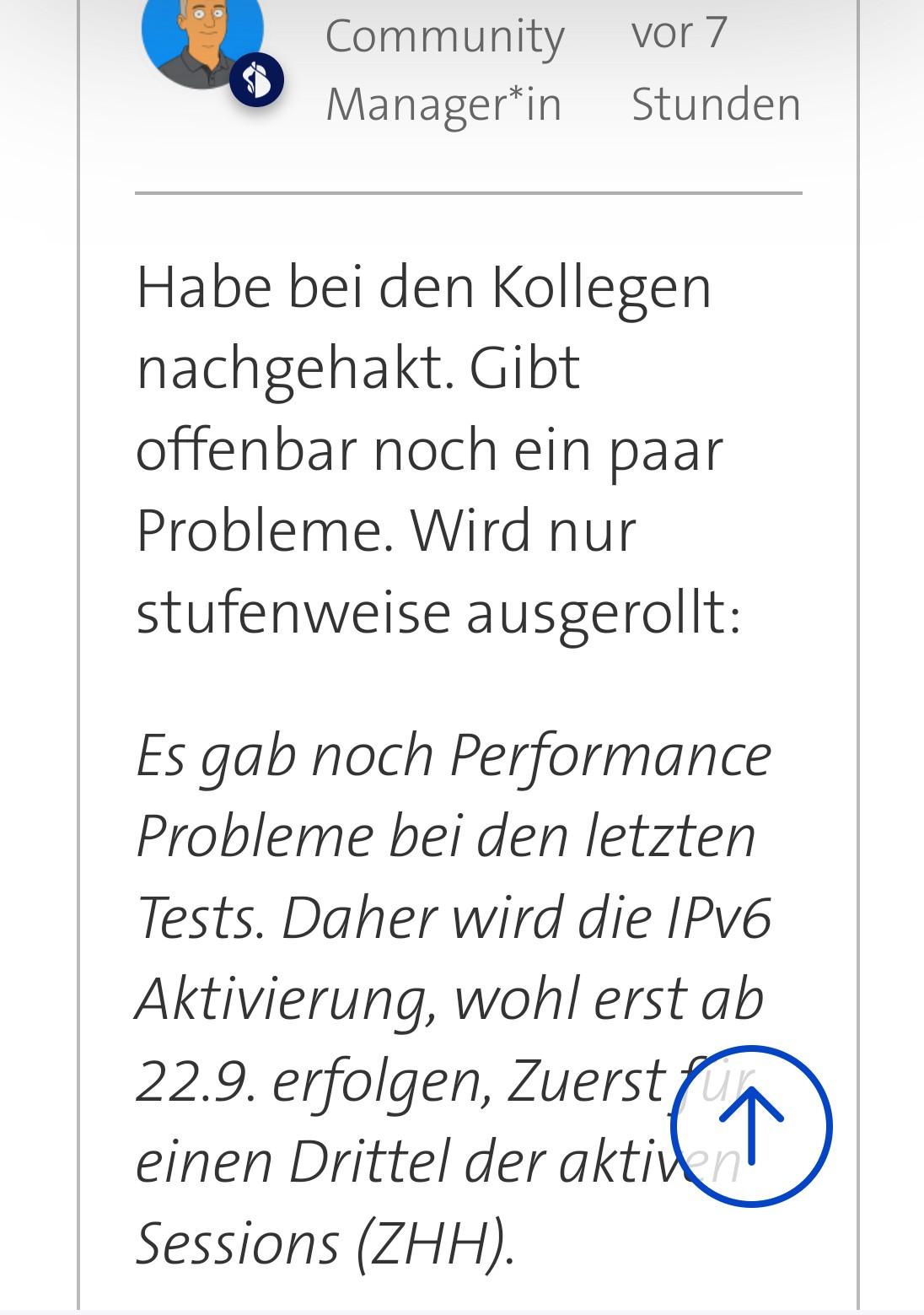
https://community.swisscom.ch/d/870367-ipv6-im-mobilnetz-das-aendert-sich-im-september
Alt...
| 8 Community vor?7
Manager®in ~~ Stunden
Habe bei den Kollegen
nachgehakt. Gibt
offenbar noch ein paar
Probleme. Wird nur
stufenweise ausgerollt:
Es gab noch Performance
Probleme bei den letzten
Tests. Daher wird die IPv6
Aktivierung, wohl erst ab
22.9. erfolgen, Zuerst
einen Drittel der ol)
Sessions (ZHH).
![[?]](https://media.troet.cafe/troet/accounts/avatars/111/922/967/390/191/729/original/292ac285a6376891.jpeg)

Dann muss sich Fa. Sunrise aber mal langsam sputen.
Ich denke, dass #IPv4 im Zeitraum von 2029 bis 2033 dem Sunset anheim fallen wird. Wenn Sunrise dann nicht bereit ist, kriegen die noch verbliebenen Sunrise-Kunden ein Problem. Hierbei sollte man den Netzwerkeffekt nicht unterschätzen: Der NW-Effekt arbeitet bisher gegen #IPv6, weil es immernoch zuviele Verweigerer gibt. Aber in ein paar Jahren, wenn es kippt, wird #IPv4only betriebswirtschaftlich nicht mehr hinhaun.
![[?]](https://media.bsd.cafe/bsdmmedia01/accounts/avatars/112/383/520/462/986/986/original/a7c9d33a324250d2.png)
IPv6 Pro Tip: to make network configuration examples easier to understand and more applicable to your own network, use the IPv6 documentation prefix (2001:db8::/32) for your local network, and deploy NAT66 for Internet access.
![[?]](https://files.mastodon.social/accounts/avatars/000/017/826/original/e953a2a48ce92233.png)
@russss @cheeaun Yes, back in the early 2010’s when there was a lot of #IPv6 advocacy, there was a great bit of work around trying to get websites to run over IPv6. But there were challenges. For example, some sites would put up a AAAA record, but then not fully connect web servers. And so your browser would be waiting and waiting and waiting, and then eventually it will fall back to the IPv4 address. It was a terrible user experience.
So Happy Eyeballs was a way to try both.

![[?]](https://media.hachyderm.io/accounts/avatars/109/304/228/003/988/176/original/0d18d3bec714f228.jpg)

Cool talk on feasability of making it possible to build an IPv6-only version of the Linux kernel with no IPv4 support:
![[?]](https://media.bsd.cafe/bsdmmedia01/accounts/avatars/113/673/890/154/879/794/original/19e9c7fddf97bdbf.jpg)
Hey #IPv6 folks: If I do NOT have a /64 assigned to me and only have a single IPv6 assigned, am I better off adding fd00::/7 addresses to the jails and then NAT'ing to them like I do with the IPv4 addresses?
I don't think I have any other kind of choice here.
![[?]](https://cdn.masto.host/appdotnet/accounts/avatars/109/910/489/579/146/831/original/f3eb640de3019e25.jpg)
![[?]](https://link.storjshare.io/raw/jxo6z6zdbuua5clpiwofqpietzbq/fediverse/f08d6fcd3928fae4cfb4f9665fac7c9c70cb1ee9c454fd11568193fd0510d1d7.jpg)
Just a friendly reminder that Canada (CIRA) runs a free fast and public DNS resolver for everyone. It is not run by a for-profit corporation. It even has a clever name: https://www.cira.ca/en/canadian-shield/
They offer IPV6 resolution, DoH and DoT and setup instructions for more devices than you’d expect: https://www.cira.ca/en/canadian-shield/configure/
They offer easy to use apps, but also adding to your router or OS/Browser options.
#ohcanada #canada #dns #privacy #datenschutz #publicgood #civics #ipv6 #ipv6orbust
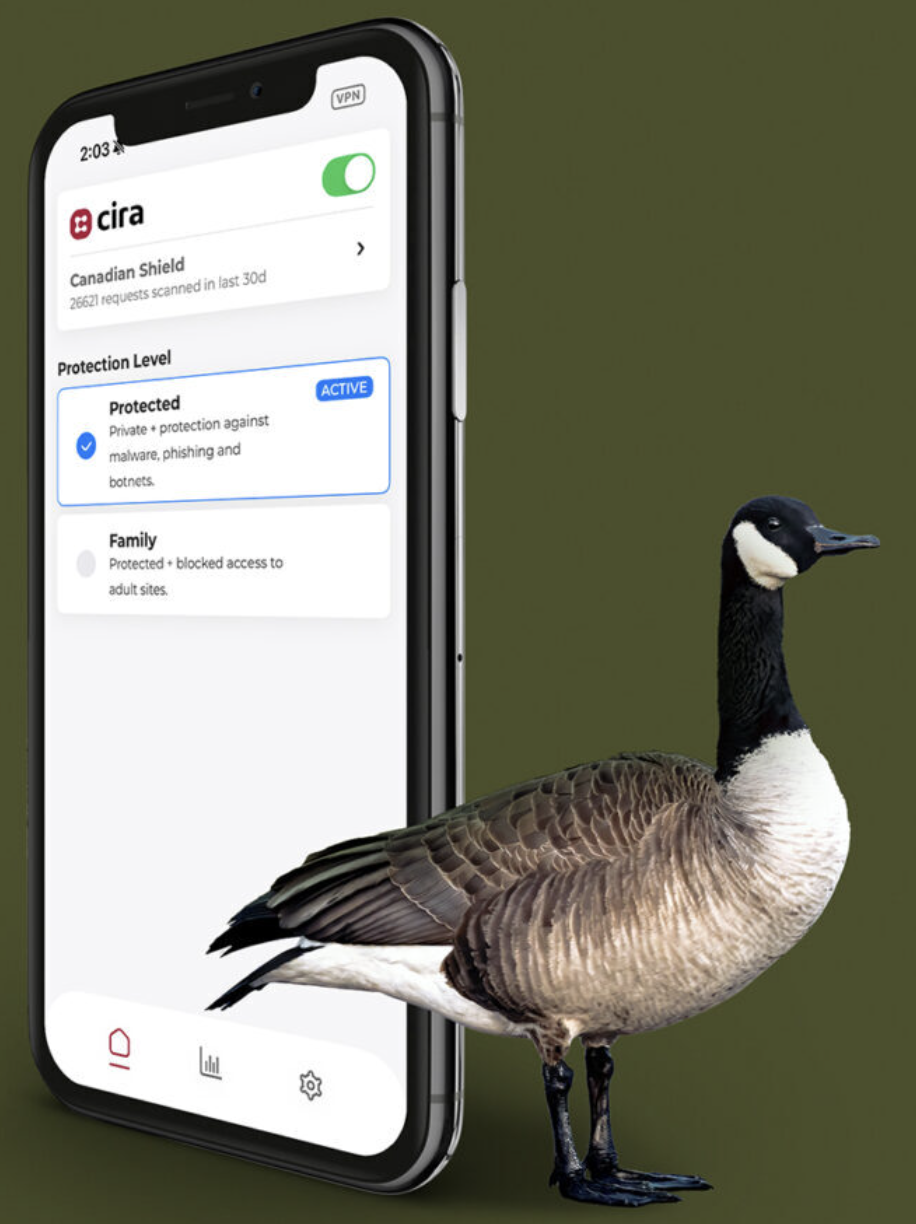
Alt...
A Canada Goose next to a iPhone displaying the CIRA Canadian Shield app
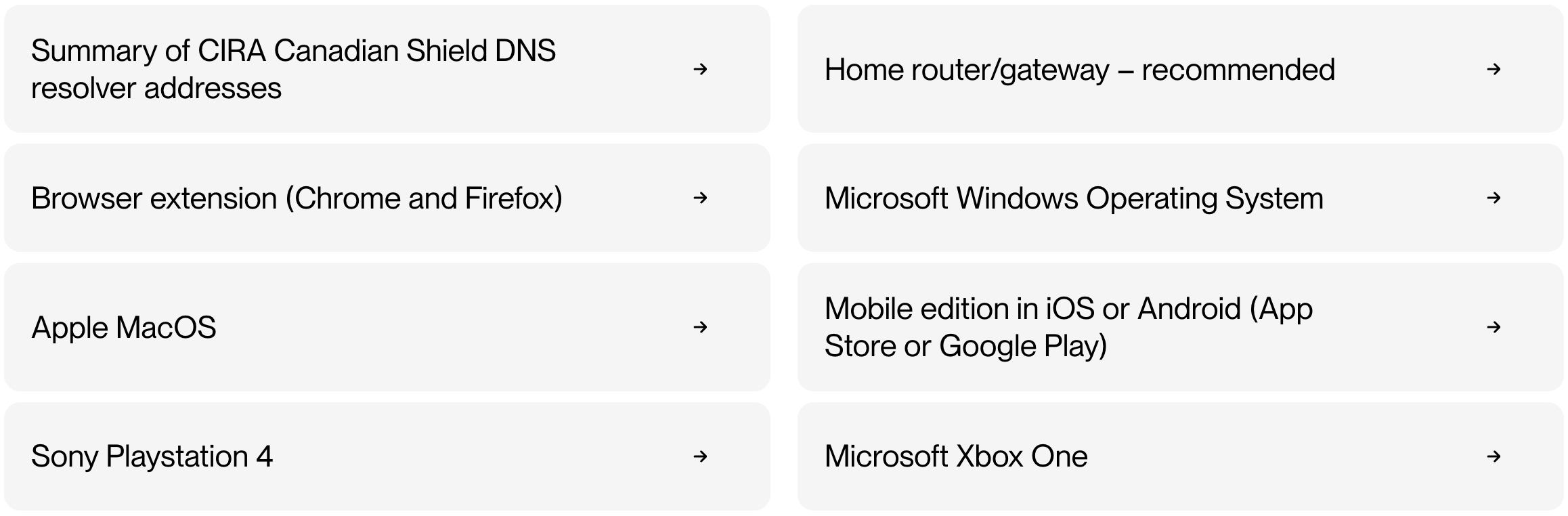
Alt...
Devices with installation instructions on CIRAs website

Alt...
Reads: Free, without a catch in big red serif text
in small sanserif text below:
Unlike other products where free is the price for selling your personal data to advertisers, CIRA is a national not-for-profit that will never sell your data or use it to show you ads. Free is just free.
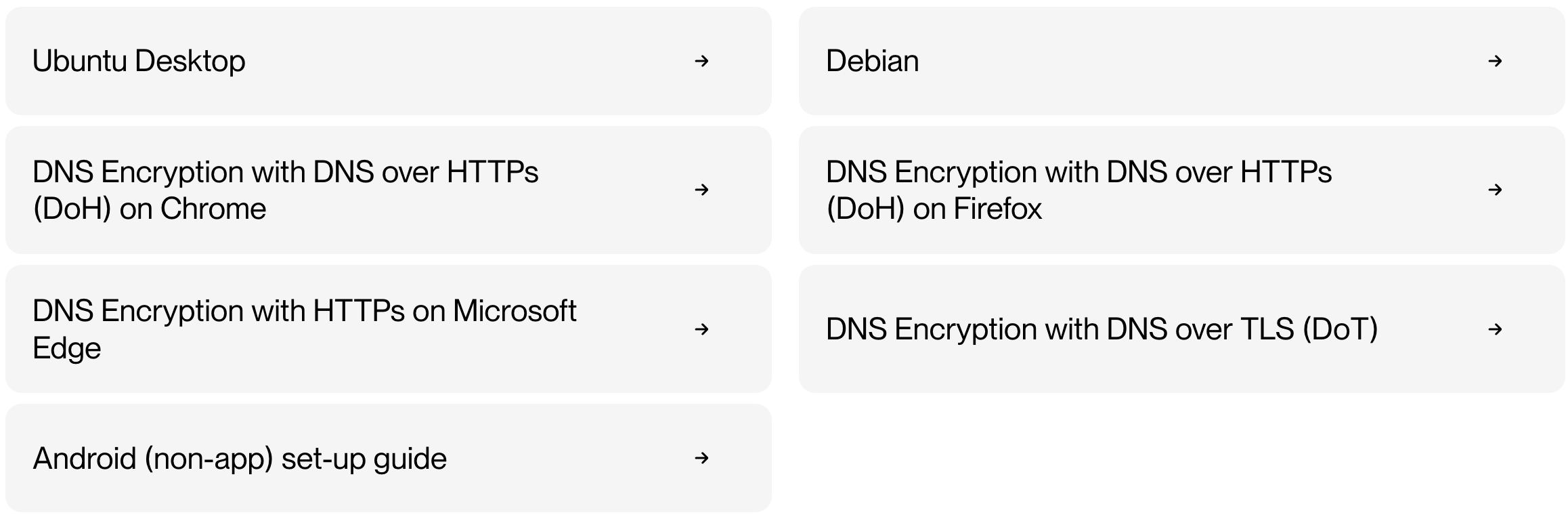
Alt...
Devices with installation instructions on CIRAs website
![[?]](https://ipv6.social/system/accounts/avatars/113/736/943/907/071/758/original/9b264b404e9802f0.png)
@tschaefer Hosted at AS51167
They are known for flakey #IPv6 support. IMHO
Works for me at the moment.
@namedbird could sing a song.
Don't know how he made his server working so good as it is recently.
![[?]](https://assets.chaos.social/accounts/avatars/000/119/578/original/9970afd145d8ae96.jpg)
Hat schon jemand #IPv6 im #Swisscom-Mobilnetz? Und weiss jemand, ob das auch für die Billiglinie #Wingo kommt?
https://www.swisscom.ch/de/privatkunden/hilfe/mobile/ipv6.html
![[?]](https://media.mas.to/accounts/avatars/109/693/852/867/761/386/original/44b459cfb2a9a552.jpeg)
Grata surpresa: descobri que o #BancoXP está funcionando plenamente em conexões #IPv6, o atual protocolo da Internet, tornando-o uma das pouquíssimas instituições financeiras do Brasil 🇧🇷 a acompanhar os padrões atuais da indústria.
Paarabéns aos envolvidos :)

Alt...
Captura de tela da extensão IPvFoo, onde se observa os domínios carregados no site da instituição bancária XP e os endereços IPv6 relacionados.
For this Throwback Thursday, I'm breaking out a classic blog post:
https://blog.flyingpenguintech.org/2014/05/monitor-your-ipv6.html
12 years later and it's still enough of a problem that @miyuru has created a site to track the ones we know about: https://v6check.miyuru.lk/failed
For those of us running #IPv6-only networks your site isn't just "down on one protocol", it's *down*, full stop.
Want to take a small step toward using #IPv6 but the whole provider landscape looks awful where you are? Start using [::1] instead of 127.0.0.1 when you need to talk to localhost by number. It will do quite a bit toward rooting out some of the last places where there is a legacy dependency, as well as getting you and the people around you used to the new ways.
![[?]](https://cache.treehouse.systems/accounts/avatars/108/083/532/444/524/387/original/99def356c3e515d5.png)
K, need the #ipv6 gang.
I'm hanging on the edge of being That Guy here.
The k8s network model always seemed to me to map really nicely onto a simple /64 per worker. Containers in a pod share a network namespace, not allocating discrete IP addresses to individual containers.
But, reading the proposed draft for DC v6 deployment, and specifically the section at https://www.ietf.org/archive/id/draft-martin-deploying-ipv6-data-center-02.html#name-prefix-allocation-for-hosts re container hosts, and taking some pause here:
A common data center pattern assigns a /56 to each physical host (or rack entity), providing 256 /64 subnets --- one /64 for the host itself and up to 255 /64 prefixes for containers, virtual machines, or Kubernetes pods.
Does it? Like, is that actually "common"? I don't want to just port IPv4 thinking over here, but I honestly struggle to think of scenarios where I would specifically want a /64 per pod.
Assigning only a /64 per host (or per rack entity without further delegation) is often insufficient when multiple containers each need their own address space.
Eh? That...seems to run counter to the common k8s network model? How often are folks finding this "insufficient"? Are we running a bunch of weird VNF workloads I'm not yet encountering?
In a closed data center with explicit routing and no SLAAC on container segments, some designs assign one /64 per physical host and carve /72 (or longer) subnets from that host prefix for container tiers. That pattern is not suitable on the public Internet or where hosts expect standard /64 semantics; use it only with operator-wide agreement and tested CNI or orchestrator support.
Maybe I'm missing something, but any CNI patterns I've come across so far seem to basically expect an address per pod, not a prefix per pod with multiple discrete container addresses within that. Who's running SLAAC between the worker and containers? Are we the exception here with "explicit routing"?
Honestly I was originally perhaps a bit conservative with just an address for the worker itself in a rack-local uplink /64, and then a /64 per worker for pods. Perhaps a /64 or two for the worker itself and then a /64 for its pods is more suitable. But a /56 per worker to support a /64 per pod seems...a bit much?
A /52 podCIDR supernet gives us 4,096x /64s, so 4k workers at a /64 per worker. That's still a good chunk to work with if we have big clusters. Shifting to a /56 per worker would put us at a /44 podCIDR supernet for a 4k node cluster limit.
I know we should work from our base address needs and then work out way up rather than trying to "fit" within a predefined sizing. But this seems like a good chunk of hierarchy bits that don't actually fit with my understanding of the intended (k8s) network model.
Are folks really out here dropping a /64 per k8s pod?
![[?]](https://ipv6.social/system/accounts/avatars/111/296/888/673/560/456/original/374470677fbb1c2c.png)
I'm helping a nonprofit get started with their greenfield multi site #k8s cluster, using a /48 #IPv6 GUA subnet for each site. But sadly, the upstream ISP for each site will only delegate a /56 subnet at best. Some as small as a /60.
They're not yet large enough to set up an AS and peer using BGP, so I was hoping to use #NPTv6 between their GUA prefix and the ISP's prefix. But I think the only sensible way forward is, ugh, #NAT66 from the /48 to the ISP's /56 or /60.
Anyone have better ideas?
Aktuell Business Tarif mit Vodafone Station im Bridge Modus /59 (exUnitymedia Hessen)
Vorher Privatkundentarif mit Dual-Stack und Komfort Option, Fritzbox im Bridge Modus 2x /59
![[?]](https://assets.chaos.social/accounts/avatars/000/138/092/original/d8698aac4fb92757.jpg)
![[?]](https://ipv6.social/system/accounts/avatars/109/267/917/602/685/335/original/1cc9d1e32a1c6faa.jpg)
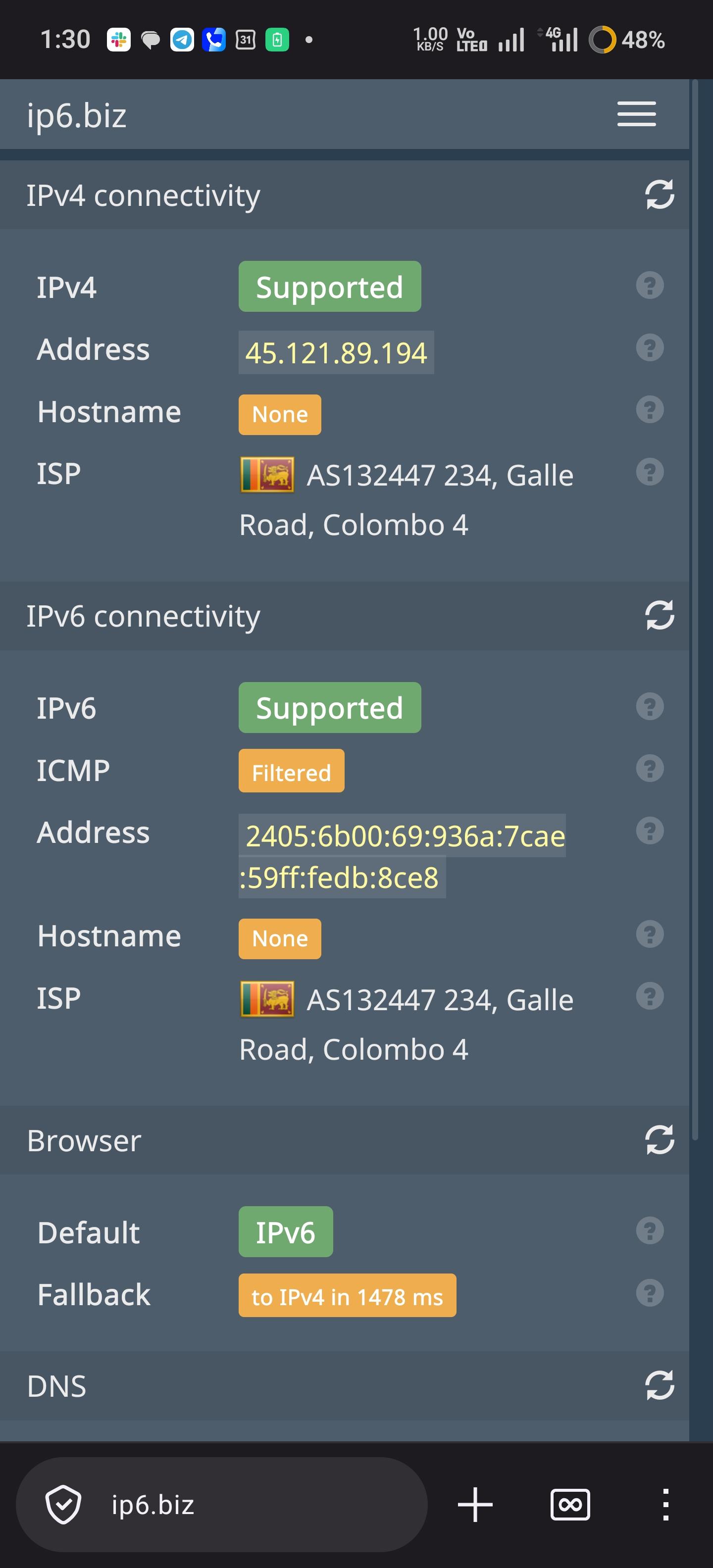
Finally, Hutch has deployed IPv6! 🎉 All 3 mobile ISPs now support IPv6, meaning **all major ISPs in Sri Lanka now offer native IPv6 support.**
https://stats.labs.apnic.net/ipv6/LK